
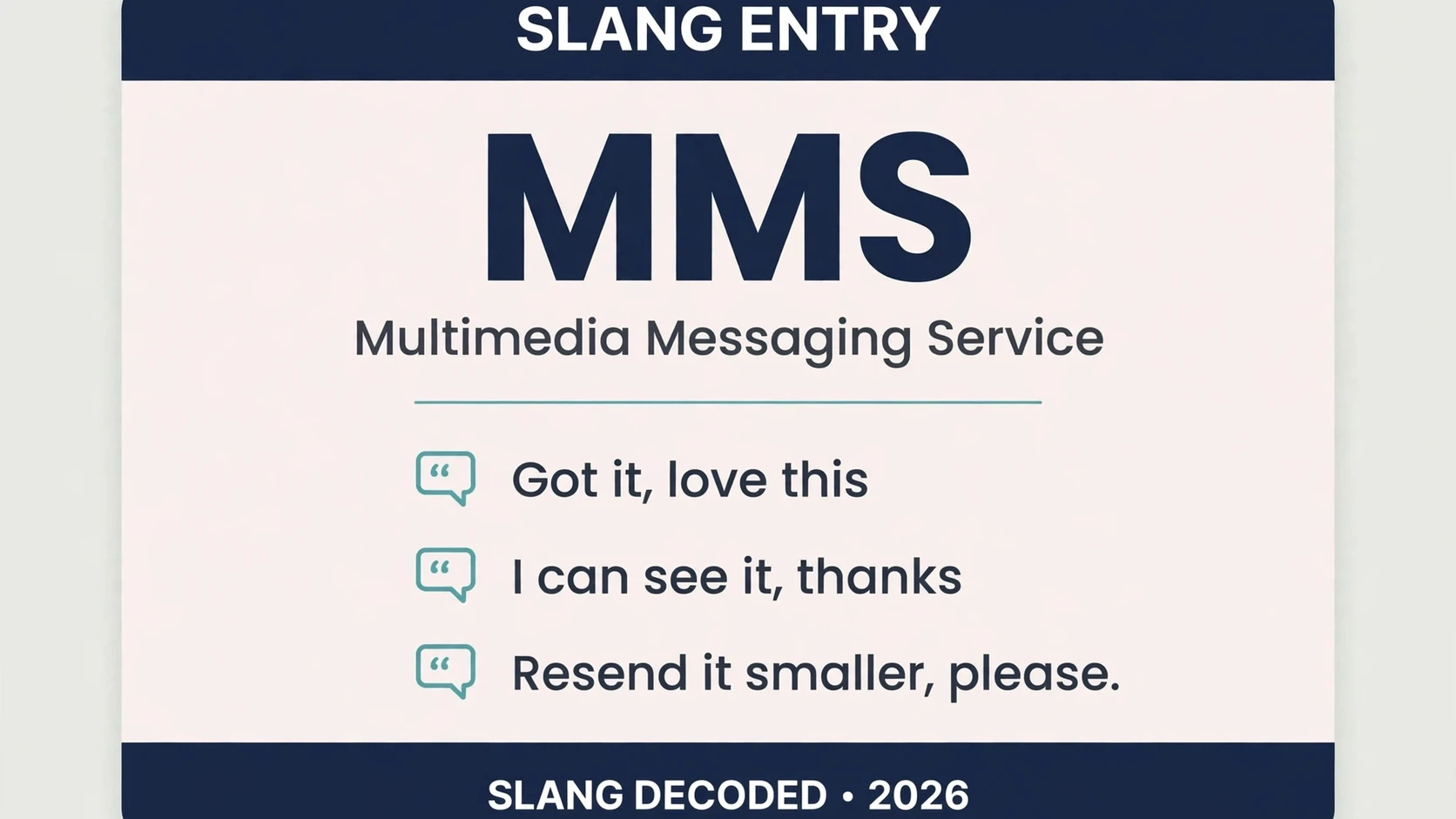
MMS in Google Messages means Multimedia Messaging Service, and it is the carrier based way your phone sends a message that carries more than plain text. If you are asking what does mms mean in google messages, that one line is the answer you need first. You will usually meet MMS when a photo, a video, a longer message, or a group chat cannot travel as a simple text or as a modern chat message. It still looks like a normal message in your thread, but your carrier handles it in a different way.
Mms at a Glance in Google Messages
Think of MMS as the older workhorse for rich messages. It lets you send pictures and short videos to people who may not share your chat app or phone brand. You do not need a special account or a new app. Your regular Messages thread does the job.
| Feature | What you see | What it means for you |
|---|---|---|
| Message type | Photo or video bubble | Media travels with the message |
| Main job | Pictures and group chats | Rich content beyond plain text |
| Connection used | Carrier network | Works without an app match |
| Best for | Mixed phone groups | Includes everyone simply |
| Look in thread | Normal bubble | No extra app to open |
| Speed | Can be slower | Large files take longer |
| Quality | Often compressed | Photos look softer |
| Cost note | Carrier rules apply | Check your plan |
What Mms Actually Stands for and How It Works
MMS stands for Multimedia Messaging Service. The word multimedia is the clue. While SMS handles short plain text, MMS was built to carry media. When a chat cannot use a newer internet based method, your phone can fall back to MMS so the picture still gets through.
The process is simple for you. You pick a photo, add a short note if you want one, and press send. Your carrier then delivers it to the other phone. That extra step is why an MMS photo can arrive later than a plain text, especially when the file is large or the signal is weak.
| Step | What happens | What you notice |
|---|---|---|
| Pick media | You choose a photo or video | A preview appears |
| Add text | You write a short note | Text sits with it |
| Press send | Your phone sends it on | A sending mark shows |
| Carrier delivery | Media passes along | It may take a moment |
| Receiver opens it | The other phone gets it | Photo or video shows |
| Reply comes back | The reply returns likewise | Thread stays together |
| Group reply | Replies go to all | Everyone sees it |
| Problem case | A file is too large | It may stall or compress |
Mms Versus Sms and Rcs in Your Chats
You only need to know which label fits which moment. SMS is plain text. MMS adds media and group support through your carrier. RCS is the newer chat style that can add read receipts, typing marks, and sharper media when both sides support it. If RCS is not available, MMS is often the fallback.
| Message style | Best use | Limit to expect |
|---|---|---|
| SMS | Short plain text | No photos or videos |
| MMS | Photos and group chats | Softer photo quality |
| RCS chat | Modern rich chats | Needs both sides supported |
| SMS to a group | Simple group text | Replies may split |
| MMS to a group | Shared group thread | Everyone stays together |
| RCS to a group | Rich group chat | Needs all members supported |
| Photo by MMS | Sending to any phone | File may compress |
| Photo by RCS | To a supported phone | Sharper when it works |
Signs You Are Looking at an Mms Message
You may never see the letters MMS in large type in your thread, but you can spot the pattern from how the message behaves.
- A photo arrives in a normal thread, but it looks softer than the original.
- A video arrives, but it is short, small, or lower in quality than a cloud link video.
- A group chat includes friends on different phone brands, and replies stay shared.
- A longer message sends fine, but it shows no typing marks or read receipts.
- A message takes longer on a weak signal or with a large file.
- A photo will not send until you turn on mobile data or find stronger signal.
- A contact who usually chats in a modern style suddenly gets a plainer thread.
- A group reply goes to everyone, not just to you.
- A picture message arrives without a link, and opens inside Messages.
Common Mms Situations You Will Recognize
MMS shows up in everyday moments, not just in technical guides. Once you know the pattern, you will notice it in birthday photos, family groups, and quick shares from friends on different phones.
| Situation | Why MMS fits | What you can do |
|---|---|---|
| Birthday photo | Photo needs to reach any phone | Send it with a note |
| Family group chat | Mixed phones in one thread | Reply to the group |
| Funny video clip | Short video share | Keep the clip short |
| Event flyer photo | Image plus a few words | Add the date |
| Screenshot share | Quick visual proof | Crop it first |
| Contact with no chat app | No shared app needed | Use Messages normally |
| Weak data moment | Carrier path may still work | Wait, then resend |
| Long note with a photo | Text plus media together | Keep the note short |
What Mms Can and Cannot Carry
MMS is useful, but it is not endless. It handles everyday photos, short videos, and group messages well. It is less suited to very large files, long high quality videos, or a full photo album.
| Content type | MMS handling | Smarter choice if needed |
|---|---|---|
| Single photo | Usually fine | Send one at a time |
| Short video | Usually fine | Trim it first |
| Long video | May compress or fail | Share a link instead |
| Many photos | Can be slow | Send a few |
| Audio note | Sometimes supported | Keep it brief |
| Group text | Works in a group thread | Check replies go to all |
| Emoji and text | Fine with media | Keep it simple |
| Large file | Often too big | Use a link |
Mms Settings and Labels to Check First
If a picture message will not send, do not assume your phone is broken. A small setting or a signal problem is often the cause.
- Check that mobile data is on, since MMS often needs it.
- Check that you have a steady signal, and move near a window if the bars are low.
- Check that the photo is not huge, and resize it if the send keeps stalling.
- Check that you are sending to the right thread in a busy group chat.
- Check that the contact number is correct, since a wrong digit can break delivery.
- Check that your messaging app is up to date.
- Check that you have not blocked data for Messages.
- Check your carrier plan if picture messages keep failing.
- Restart your phone once if a stuck message will not clear.
Quick Replies for Mms Moments
You do not need a fancy reply when someone sends you an MMS photo. A short, warm line shows you saw it and keeps the chat moving.
| Moment | Simple reply | Tone it sets |
|---|---|---|
| Friend sends a photo | Got it, love this | Warm and quick |
| Family group photo | So good to see all | Friendly and inclusive |
| Blurry photo arrives | I can see it, thanks | Kind and clear |
| Video will not load | Resend it smaller, please | Helpful, not fussy |
| Group message confuses you | Got it, thanks | Polite to the group |
| Photo arrives late | Just saw this | Calm and honest |
| You need a clearer copy | Send the original, please | Direct and polite |
| Funny clip lands well | This made my day | Light and upbeat |
Why Your Photo Arrived Blurry or Late
A blurry MMS photo can feel like a letdown when the original looked sharp on your phone. The usual cause is compression. To move a photo through the carrier system, the file is often made smaller, and smaller files lose fine detail.
If a message is late, signal and file size are the first suspects. A large video on a weak connection needs more time. You can help by sending one photo at a time, trimming a video, and waiting for a stronger signal before you resend.
How to Handle a Group Mms Thread
A group MMS thread works best when everyone remembers that replies go to the whole group. If you reply with a private thought, the whole group will see it, so pause before you send a personal note.
If the group gets noisy, you can mute the thread for a while instead of leaving in a rush. Your phone will stay quiet, and when you are ready, open the thread and reply once to the group rather than sending many small messages.
When Mms Is Not the Right Tool
MMS is solid for everyday use, but it is not the best choice for every share. A long, high quality video or a full set of holiday photos will often do better through a cloud link or a file sharing app.
Think about privacy before you share a photo in a group. Once a picture goes to several people, you cannot control every forward or screenshot. If a photo is personal, send it to one trusted person instead.
Keeping Your Messages Clear and Friendly
Clear messages save you from follow up questions. Add a short line with a photo so people know why you sent it, and keep your note short. A little context turns a random image into a clear message.
If you jump between apps, you may also run into mw, nfs, and a snap score, and each one belongs to a different chat habit than MMS. That mix is normal in 2026. You do not need to learn every term at once. Learn the one in front of you, reply in a kind and clear way, and move on.
Frequently Asked Questions About Mms in Google Messages
What does MMS mean in Google Messages?
MMS means Multimedia Messaging Service, the carrier based way to send photos, short videos, and group messages in Messages.
Why did my photo send as MMS instead of a modern chat message?
It likely sent as MMS because the other phone or chat setup did not support the newer chat style for that thread.
Does MMS need mobile data to work?
MMS often needs mobile data even when plain text does not, so check that data is on if a photo will not send.
Why does an MMS photo look lower in quality?
The photo is often compressed to travel through the carrier system, which can soften fine detail in the image.
Can I send a group message with MMS?
Yes, MMS can keep a group thread together so replies from members go to everyone in the group.